
Documentation › Security › Profiles & permissions
Profiles & permissions
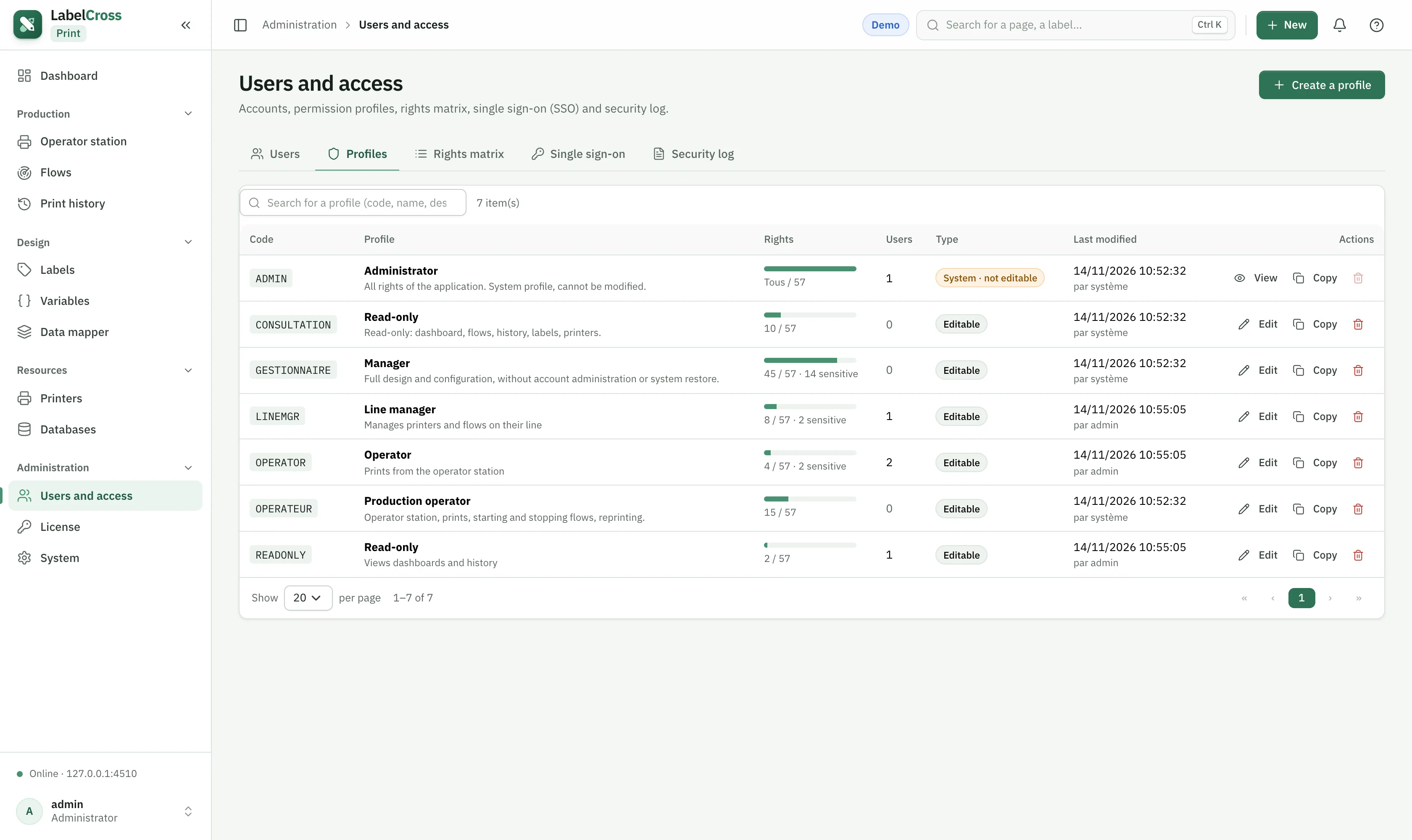
Role-based access control (RBAC). A profile is a set of permissions plus allowed printer groups.
- On the Profiles tab, create a profile (e.g. “Operator”, “Line manager”).
- Tick the permissions it grants, per module (see below).
- In Printer access, allow all printers or only certain groups.
- Assign the profile to users. A user’s effective rights are the union of their profiles.
Permissions by module
| Module | Permissions |
|---|---|
| Dashboard | View |
| Operator station | View · Print |
| Flows | View · Edit · Delete · Run · Test · Purge journal · Emergency stop |
| Print history | View · Reprint · Purge |
| Labels | View · Create · Edit · Rename · Activate · Delete · Manage trash · Print · Import · Export · History (view / restore / full) |
| Variables | View · Edit · Delete |
| Maps | View · Edit · Delete |
| Printers | View · Edit · Delete · Console & configuration · Test |
| Databases | View · Edit · Delete · Execute |
| System | View · Backup · Restore · License · Diagnostics |
| Users & profiles | Users (view / edit / delete) · Profiles (view / edit / delete) · SSO configuration |
| Audit & API | Audit view · API read · API run kernel · API write |