
Documentation › Flows › How flows work
How flows work
A flow automates printing: capture → process → output.
Create one in Production › Flows › New flow. A flow has four kinds of steps:
- Input — where the data comes from (one per flow).
- Processing — what to do with it (print a label, export an image, call a web service…). One or more.
- Output — forward the result (transfer a file, send an email).
- Report — record the run (a log file, an email, a TCP message).
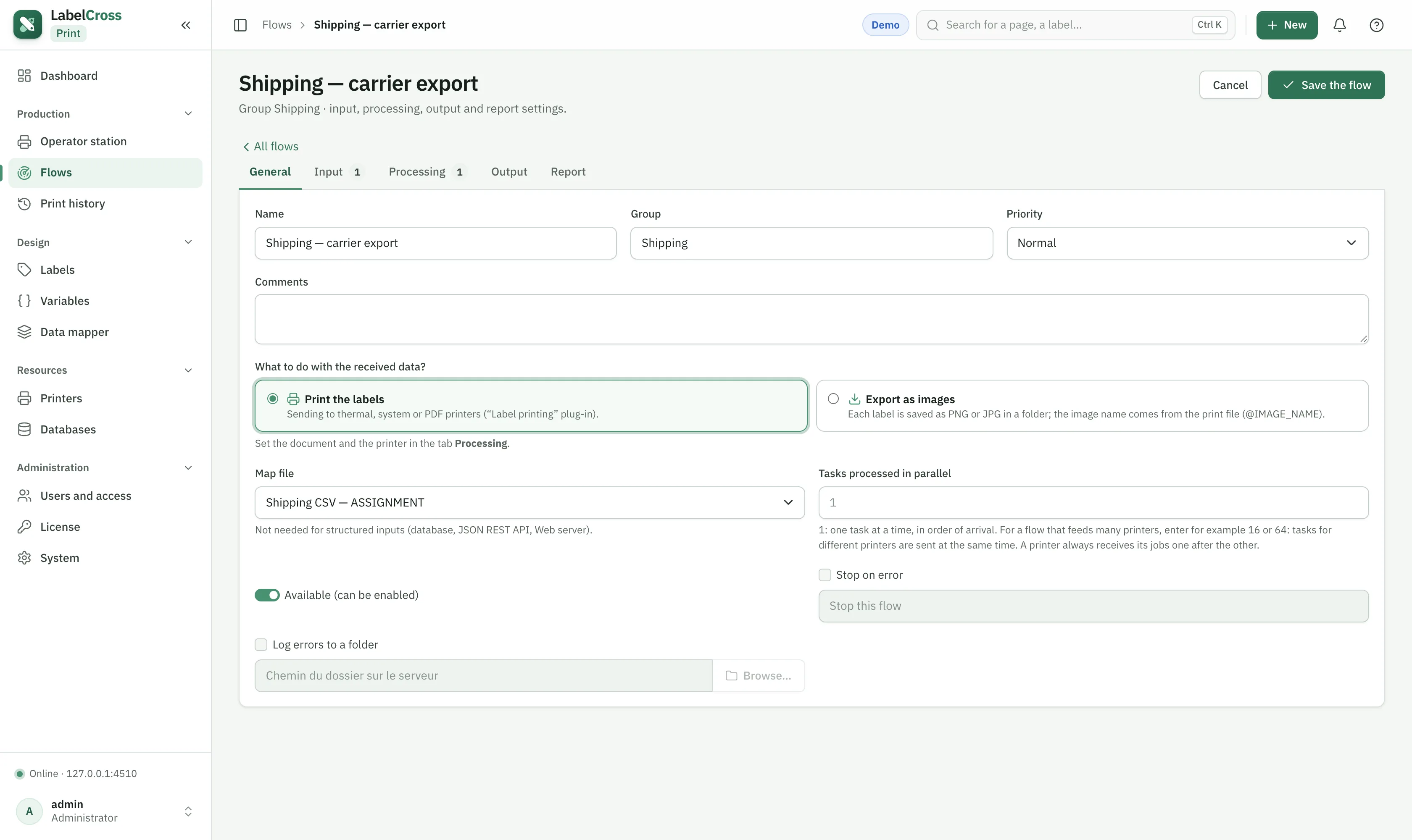
Running a flow
- A flow is enabled (allowed to run) and started/stopped (currently running). Start it to begin watching its source.
- Set a priority (RealTime, High, Medium, Low) and the number of parallel jobs.
- Configure an error action and an error log path to handle failures.
⚠︎
Adding or re-enabling a flow requires an active license and counts against your flow limit.